 MyMemo
MyMemo 2.0: Your conversations now belong in your second brain.
M-NOTE device support, the new Recording Memo, and a rebuilt mobile experience for turning long conversations into useful knowledge.
A recording ends. Once it has synchronized, it appears in a library on your phone. You can play it, keep it local, delete it, or turn it into a memo with a speaker-aware transcript, a structured summary, highlights, and a mind map.
No file shuffling. No separate recording app. No pretending that a wall of transcript text is the same thing as useful knowledge.
That is the center of MyMemo 2.0, our largest mobile update yet.
A conversation should not disappear when the room goes quiet
MyMemo has always been good at collecting things you can point to: a link, a note, an image, a document. Conversations are different. The useful detail may be spread across an hour, shared by several people, and never written down anywhere else.
The old answer was a collection of workarounds. Record in one app. Export the file. Upload it somewhere else. Wait for a transcript. Copy the useful parts into the place where the rest of your knowledge already lives.
MyMemo 2.0 makes that one flow.
M-NOTE is now part of MyMemo
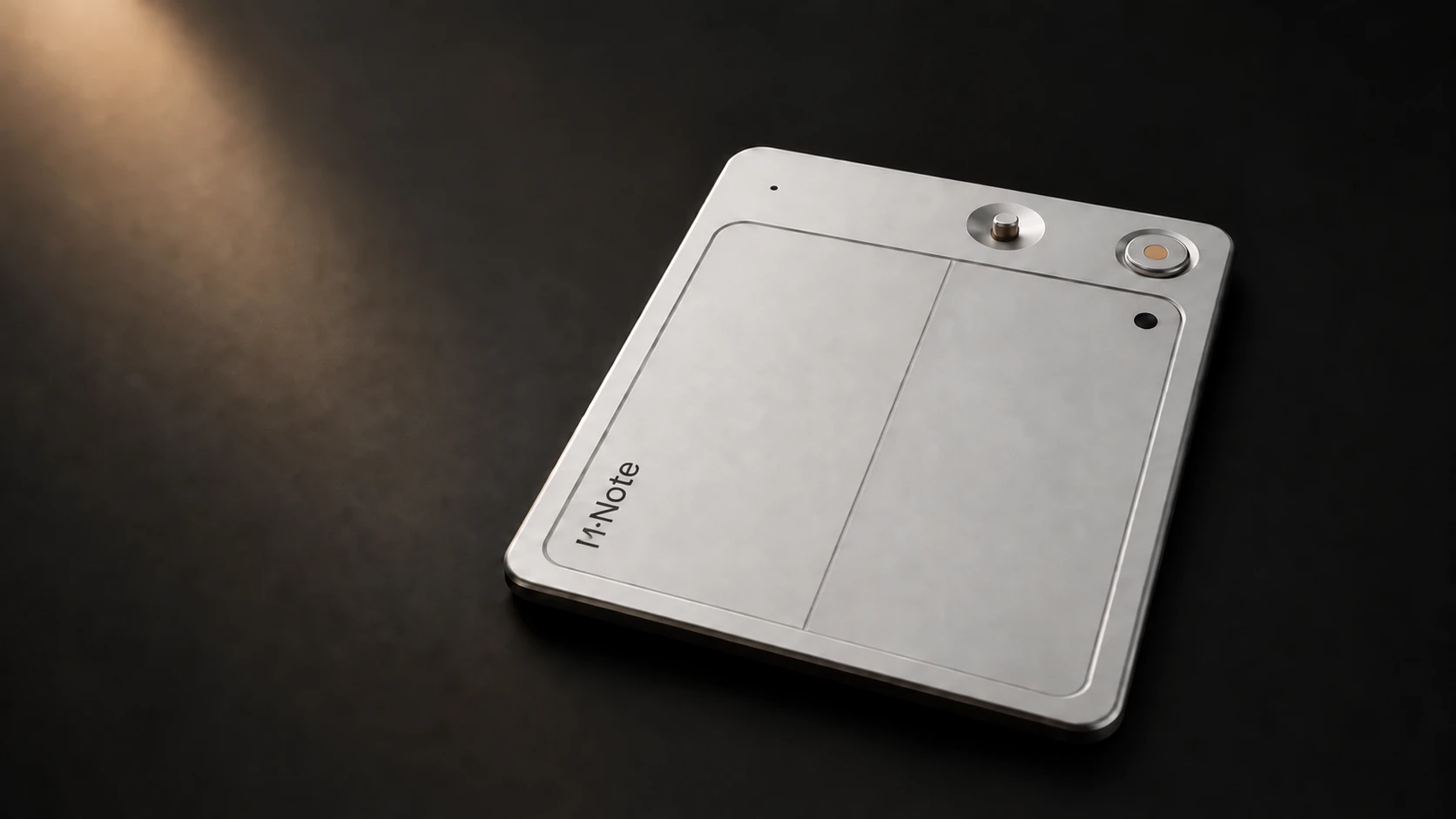
M-NOTE is a card-sized voice recorder designed to stay close enough that capturing a conversation does not become an event of its own. MyMemo 2.0 adds the device layer around it.
From the Device area in the mobile app, you can:
- pair and manage a supported M-NOTE recorder;
- see connection, battery, and storage status;
- start or stop a recording from the app or the physical recorder;
- synchronize recordings over Bluetooth, including supported background transfers;
- use Wi-Fi for larger transfers when Bluetooth would take too long; and
- choose whether a synchronized file should remain on the recorder.
The phone does not need to become the microphone. M-NOTE handles capture; MyMemo handles what happens next.
You can see M-NOTE and purchase details. The device is US$199 with worldwide shipping included; existing waiting-list members can verify their email to claim the promised 10% discount when purchases open.
Your recording stays local until you say otherwise
A recording is not automatically turned into cloud data just because it reached your phone.
New files first enter a local recording library. From there, you can listen, inspect the duration and file size, remove the phone copy, remove the recorder copy, or delete both. Only Add to MyMemo creates a cloud-backed Recording Memo and starts transcription and analysis.
That boundary matters for two reasons. It keeps the workflow understandable, and it avoids spending recording minutes on a test clip, an accidental recording, or something you never intended to process.
If this is how you work every time, you can enable automatic adding later. The choice remains available in settings.
Recording Memo separates the source from the analysis
Long audio needs a different interface from a voice note.
A Recording Memo keeps the audio player available at the top of the page. The transcript below is organized by speaker and timestamp, so you can follow what was actually said. Speaker labels can be renamed when “Speaker A” is really Maya, Chen, or the client on the other side of the table.
Language detection is automatic by default. For difficult audio—or a recording where the wrong language was detected—you can choose a supported language yourself and retry with a clearer instruction to the transcription system.
The analysis lives beside the source instead of replacing it. Depending on your settings, a Recording Memo can include:
- a structured outline with timestamps;
- a summary sized to the length and detail of the conversation;
- decisions, action items, and important moments;
- quotable highlights;
- an interactive mind map; and
- an analysis template suited to a meeting, interview, lecture, research session, or your own workflow.
You can then use Ask Memo to question the recording in context: What did we decide? Who owns the next step? Where did the discussion change direction? The answer can point you back to the underlying memo instead of leaving you with an unsupported summary.
Recording minutes are visible before they become a surprise
Transcribing long audio and running detailed AI analysis has a real service cost. Hiding that cost behind a generic loading screen would make the product easier to misunderstand, not easier to use.
MyMemo 2.0 shows recording-minute balances alongside plan and usage information. Eligible plans include a recurring allowance, supported device activation can add a time-limited credit, and minute packs provide a pay-as-you-go option when a subscription allowance is not the right fit.
The goal is simple: you should know what you have, what a recording will use, and where to add more before starting a long processing job.
The rest of the mobile app caught up too
Adding a device tab exposed places where the mobile app still felt like separate rooms joined by narrow hallways. We used 2.0 to address those as well.
Navigation, Create, Profile, Plans & Usage, Spaces, Collections, MemoCast, and Settings now follow a more consistent visual and interaction system. Frequently used destinations stay close; less common tools live under More; and the final navigation shortcut can be customized.
The result is not just a new device screen. It is a mobile version of MyMemo that better reflects the product people already use on the web—and gives Recording Memo a natural place inside it.
Rolling out now
MyMemo 2.0 is moving through the iOS and Android store rollout, so the exact availability date may differ by store and region. M-NOTE features require supported hardware and will open as devices become available.
You can read the compact release history in the changelog, or explore M-NOTE if the hardware workflow is the part you have been waiting for.
The important change in 2.0 is not that MyMemo can store a recording. Plenty of tools can do that.
It is that a conversation can now enter the same system as everything else you want to remember—and become something you can actually use later.
— The MyMemo team