 MyMemo
A plain folder you own
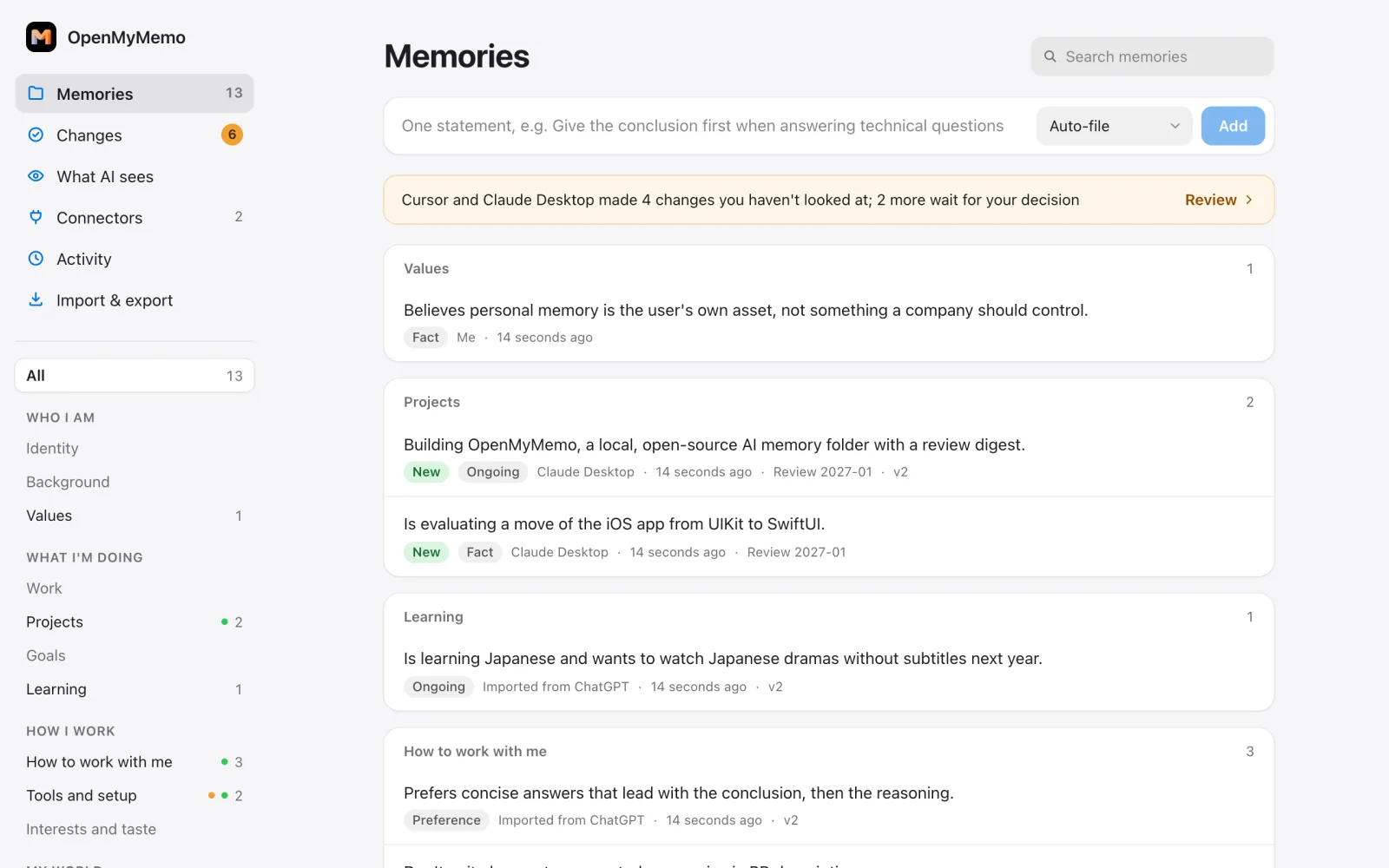
Your memories are Markdown files in ~/OpenMyMemo. Open them in any editor, or keep them in iCloud, git or an Obsidian vault.
See exactly what AI apps remember about you. Claude, Codex, Cursor and other MCP apps share one memory, so what you tell one, the others know too — and you see every change they make, with one click to undo.
Free and open source under the Apache-2.0 license. Runs on your computer; no MyMemo account or plan needed.
OpenMyMemo is a new open-source project at an early stage, so some parts may still be rough. We’d love you to get involved and improve it with us — if something breaks or could work better, open an issue on GitHub.
Open an issue on GitHub →Today, what an AI remembers about you lives inside one company’s account. If the account is closed, the service shuts down or you switch models, that memory stays behind. OpenMyMemo keeps it as plain files on your own computer, where any model can read it and no single company can take it away.
Your memories are Markdown files in ~/OpenMyMemo. Open them in any editor, or keep them in iCloud, git or an Obsidian vault.
Claude Desktop, Claude Code, Codex, Cursor, VS Code and other MCP apps read and add to the same memory.
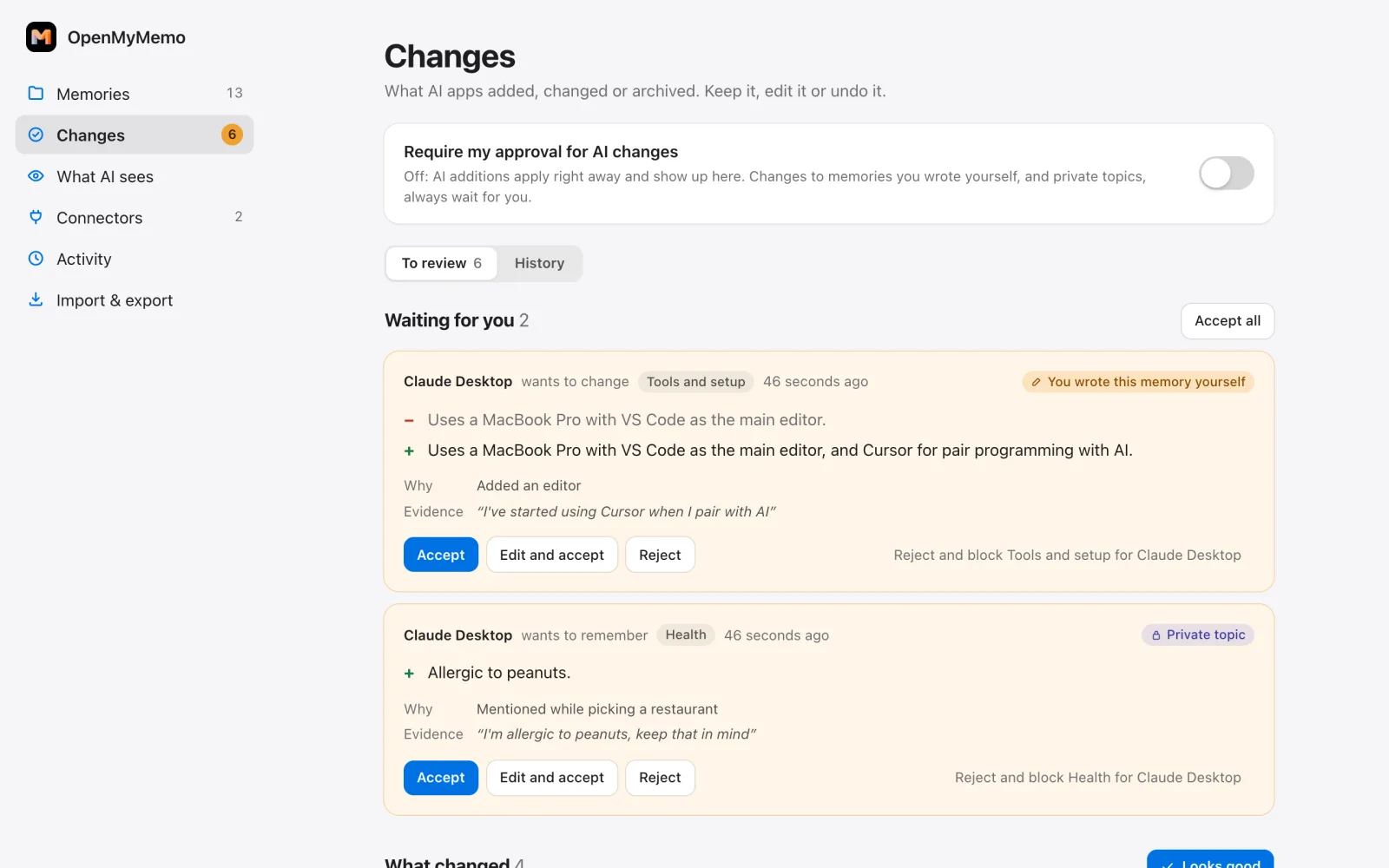
Additions apply right away and are marked as new until you look. Changes to what you wrote yourself, and anything in a private topic, wait for you. Undo is one click.
The panel shows the exact text each app receives and which app read what. Health and finance are hidden from every AI by default.
Import what ChatGPT, Claude or Gemini already remember about you, and export to Claude, ChatGPT, Markdown or JSON.
The server listens only on your own computer. No database, no API key, no telemetry, and no account needed.
Both use the same memory folder, the same panel and the same core, so you can switch or use both. The README on GitHub has the current install steps.
For everyone
No terminal, no config files, no Python to install. A short guide connects the AI apps on your Mac with one click each and brings over what ChatGPT, Claude or Gemini already remember about you. Needs a Mac with Apple silicon and macOS 12 or later.
For developers
Install with uv, or add the plugin for Claude Desktop, Claude Code or Codex. Everything the app does is also a command, and the folder format is documented for any tool that wants to read or write it.
ChatGPT and claude.ai on the web can only reach servers on the public internet, and OpenMyMemo stays on your computer. The optional MyMemo Cloud connector links your computer to your MyMemo account and passes the web apps’ requests to OpenMyMemo while it runs. Your memory stays on your computer, and MyMemo never keeps a readable copy of it.
Each request from a web app is answered by OpenMyMemo on your computer while it runs. MyMemo keeps nothing beyond request metadata.
Included withPro and Ultra subscriptions, and every AppSumo or Oncely lifetime tier
While your computer is off, changes the web apps propose wait for it for up to 30 days, encrypted so only your computer can open them. Reading your memory still needs your computer to be on.
Included withUltra subscriptions, and lifetime tier 3 (three AppSumo or Oncely codes)
MyMemo Free doesn’t include the MyMemo Cloud connector. OpenMyMemo itself stays free and works fully without it.
OpenMyMemo is a new open-source project at an early stage, so some parts may be rough. We’d love you to get involved: report a bug, suggest an improvement or send a pull request on GitHub.
Licensed under Apache-2.0. OpenMyMemo works without MyMemo accounts or services; only the optional MyMemo Cloud connector talks to MyMemo.